
Magic Search
Last updated: February 2026
Magic Search is UpSnatch's broad, topical discovery search. It helps you find expiring domains that match your topic even when the domain doesn't contain your exact words.
What you're searching
When you search in UpSnatch, you're searching a dataset of domains that are expected to become available within upcoming time windows (for example via expiring auctions, user auctions, drops, closeouts, or similar availability flows depending on the source).
UpSnatch is not a registrar and not a marketplace: you discover and evaluate domains here, and acquire them on the relevant auction/registrar platform.
How it works
Magic Search is UpSnatch's broad, topical discovery search. It helps you find expiring domains that match your topic even when the domain doesn't contain your exact words.
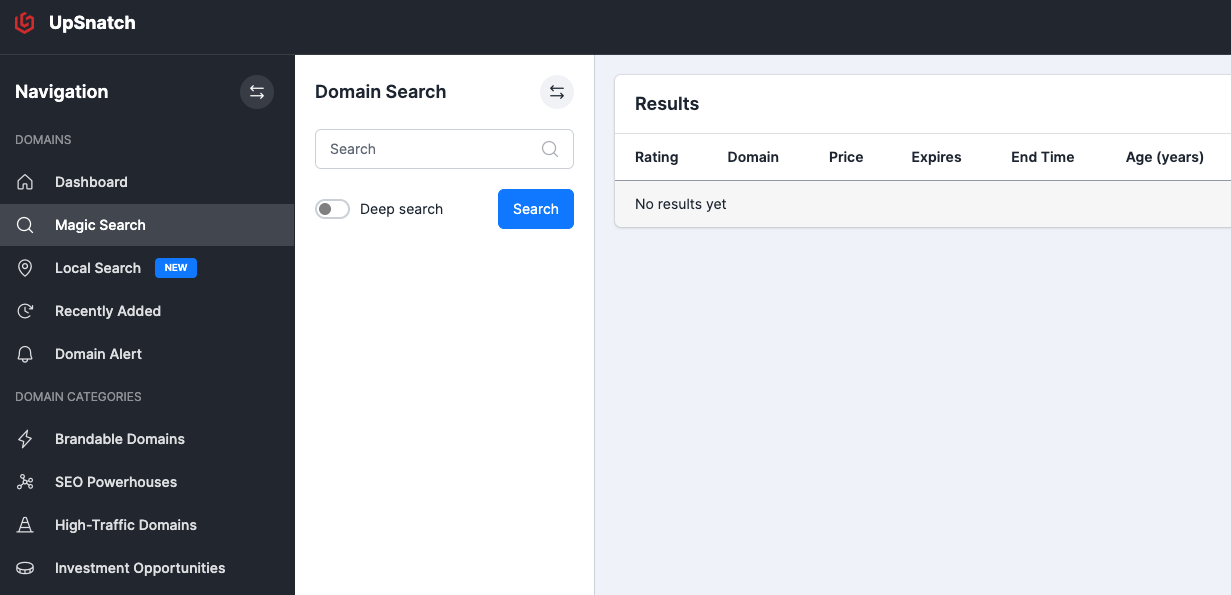
You can enter:
a single keyword (e.g.,
dogs,pickleball,vegan), ora phrase (e.g.,
reptiles and amphibians,dog breeds,european cruises).
Instead of returning only literal matches, Magic Search finds domains that are related to what you typed. This can include:
closely related (sub)topics
synonyms and alternative phrasing
multilingual equivalents
etc.
Results always depend on the dataset and the query. So you do not only get the exact matches, but more and oftentimes, it's something better. Or something you might not have thought of.
How Magic Search behaves
Magic Search is designed for broad discovery first, filtering second:
Start with a query that represents your niche or intent. Experiment with the granularity of the query.
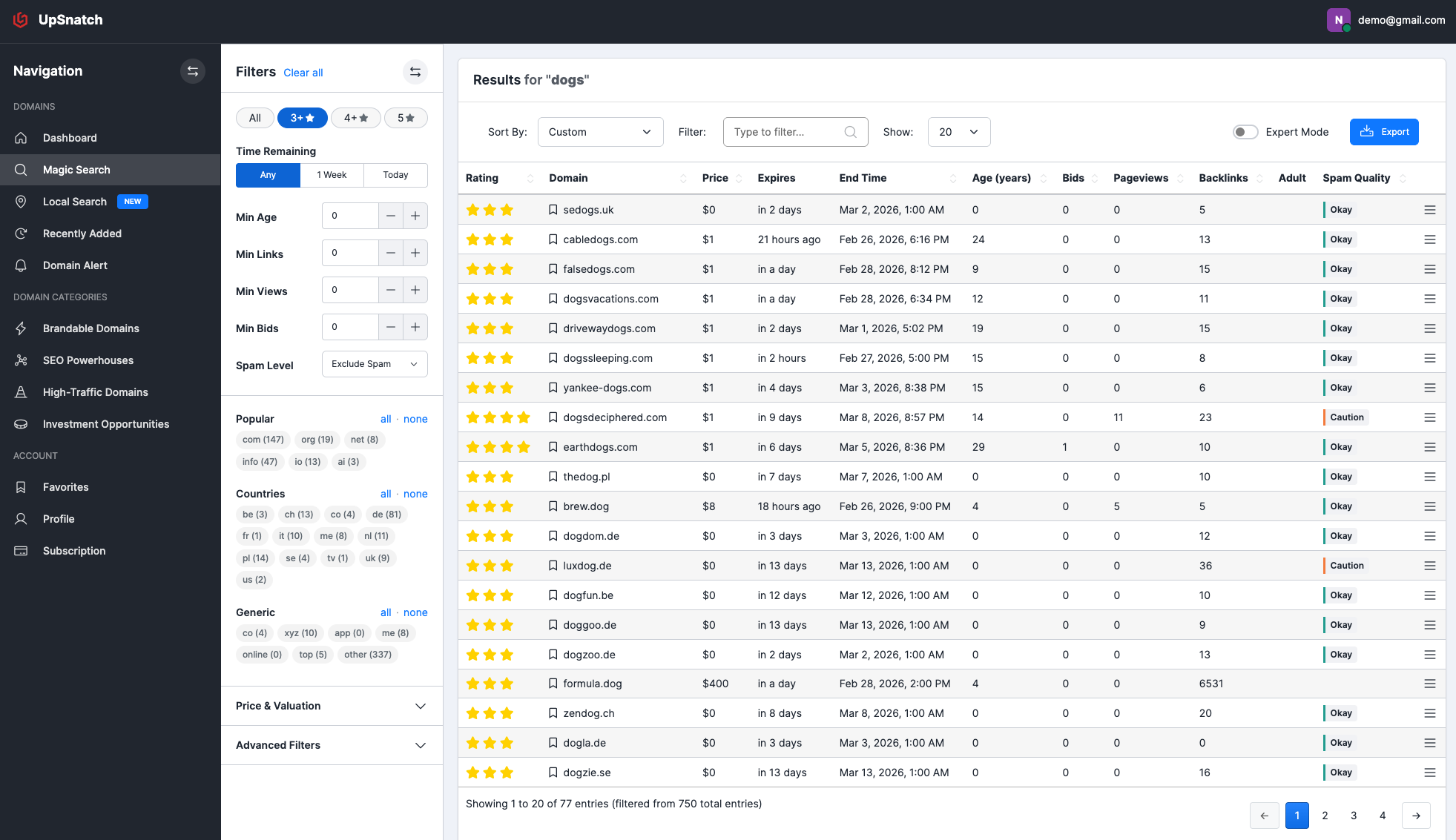
Magic Search will return a broad set of relevant opportunities, usually around 500 to 1000 domains.
Narrow down using filters (rating, spam quality, TLD/country, etc.).
Instant filtering
Once the search is completed, all filters apply instantly. You don't need to re-run the search to see the effect of filter changes.
How to query
Magic Search returns domains that are related to your query, not just exact matches. The best approach is to experiment and steer your query until you hit the "sweet spot" for your use case.
| Example query | What you get | When to use | |
|---|---|---|---|
| Broad topic | dogs | A wide mix: dog care, food, toys, adoption, etc. | Exploring broad, or when your niche doesn't have many expiring domains |
| Directed topic | dog breeds | Domains like smallpuppies but also domains with specific dog breeds (e.g., labradors, chihuahuas) | When the broad category has too much noise or you want instances of a category |
| Few-shot prompting | chihuahua, labrador, bulldog | Related instances like goldenretriever, frenchbulldog, germanshepherd, etc. | Great for discovery when you don't know all the terms to search for yet |
| Very specific | small dog breeds | Similar to above | When you need something very particular and it's okay that not all results are closely related to your query |
| Synonyms | affordable notebooks | Related wording like cheap laptops | Always applied |
| Multilingual | dog | Domains containing equivalents like chien (French) or cane (Italian) | Always applied. You can narrow down the results later using TLD/country filters |
Rule of thumb:
If results feel too noisy, make the query more specific.
If results feel too narrow, broaden the query.
Deep Search
Magic Search has a Deep Search toggle:
Default Search: much faster and covers most use cases.
Deep Search: slower, but expands further to discover more loosely related results.
Deep Search
In most cases, Deep Search will mostly add extra results that are significantly less relevant to your query. That's because, at any given time, there are only so many expiring domains that closely match a specific term. Going deeper usually means pulling in weaker associations.
Use Deep Search mainly when:
your query is very broad, and you want maximum coverage, or
the default search returns too few results.